
If you've ever watched a laser cutter slice cleanly through plywood or watched a design appear in seconds, you've probably wondered how does a laser cutter work under the hood. The short answer is a highly focused beam of light energy melts, vaporises, or burns away material along a precise path, but the machine's laser type has a big impact on what it can cut and engrave. That's especially true when you're weighing up two of the most popular machines in the xTool range, the xTool F2 Ultra and the xTool P2S. Below we break down the science, then help you decide which one suits your projects.
How Does a Laser Cutter Work: The Core Process
At its core, a laser cutter works by concentrating enough energy into a single point that the material either melts, vaporises, or burns away. When the machine is cutting, the beam works all the way through the material's thickness. When it's engraving, the beam only removes a thin surface layer to leave a mark or pattern behind. This distinction, engraving vs. cutting, is set by the power and speed you choose in the software, along with how many passes the laser makes.
Every laser cutter, whether it's a compact desktop unit or an industrial laser cutting machine on a factory floor, follows a similar sequence:
- A laser source generates the beam
- The beam travels through a series of mirrors, or in fiber models, along a fibre optic cable, into the cutting head
- A focusing lens narrows the beam to a precise point
- A motion system moves the beam or the material to trace out the design
- Air assist runs throughout to keep the cut clean
- The machine's software controls power and speed to match the material being worked on
Once the laser source generates the beam, it doesn't travel straight to the material. In CO2 and diode machines it's usually guided through a series of angled mirrors that direct it into the cutting head, while fiber lasers often deliver the beam through a flexible fibre optic cable instead. From there, it passes through the focusing lens before it ever touches the material.
Most laser cutters move the beam using an X/Y gantry system, where motors drive the cutting head along two axes to trace the design with precision, similar to how CNC laser cutting equipment moves a cutting head across a workpiece.
Some fiber laser setups instead use a galvanometer, or "galvo," system that steers the beam itself using fast-moving mirrors rather than moving the whole cutting head. Either way, the machine follows the exact path set out in the design file, moving in small, controlled increments to build a clean cut or engraved line.
Diode vs CO2 vs Fiber Lasers Explained
How well a laser interacts with a material comes down to wavelength and absorption. CO2 lasers produce a longer wavelength that organic materials like wood and acrylic absorb readily, while fiber lasers produce a shorter wavelength that metals absorb far more efficiently. This is why matching the right laser type to the material matters just as much as getting the power and speed settings right, and it's the main reason xTool builds different laser types into different machines.
How does a diode laser cutter work?
A diode laser cutter works by passing an electrical current through a small semiconductor laser module, which emits the beam directly without needing a gas-filled tube. Diode lasers are compact and affordable, and they're best suited to engraving and cutting thinner materials like wood, leather, cardboard, and some plastics. They're a popular entry point for hobbyists because they cost less and don't need the venting setup CO2 machines typically require, though they're generally not the right choice for cutting thicker or denser materials or for working with reflective metals.
How does a CO2 laser cutter work?
A CO2 laser cutter works by exciting a gas mixture inside a sealed laser tube using an electrical current, producing a longer-wavelength beam that's then directed to the cutting head through mirrors. This makes CO2 lasers the workhorse choice for cutting and engraving organic, non-metallic materials such as wood, acrylic, leather, fabric, and cardboard, which is why you'll often see them marketed as a co2 laser engraver or co2 laser machine. It's why CO2 machines like the xTool P2S are popular with makers and small businesses producing signage, homewares, and packaging prototypes.
How does a fiber (or fibre) laser cutter work?
A fiber laser cutter works by generating the beam inside a doped fibre optic cable rather than a tube, producing a shorter wavelength built for marking and engraving metals and some plastics that CO2 and diode lasers struggle with, such as stainless steel, anodised aluminium, and titanium. Because this wavelength is absorbed so efficiently by reflective and dense materials, fiber and infrared lasers have become the standard choice for industrial laser cutter applications, from laser cutting steel to laser cut metal work, as well as tool marking and jewellery engraving. Many industrial laser cutting setups use higher-wattage fiber sources for exactly this reason.
Which Laser Type Do the xTool F2 Ultra and P2S Use?
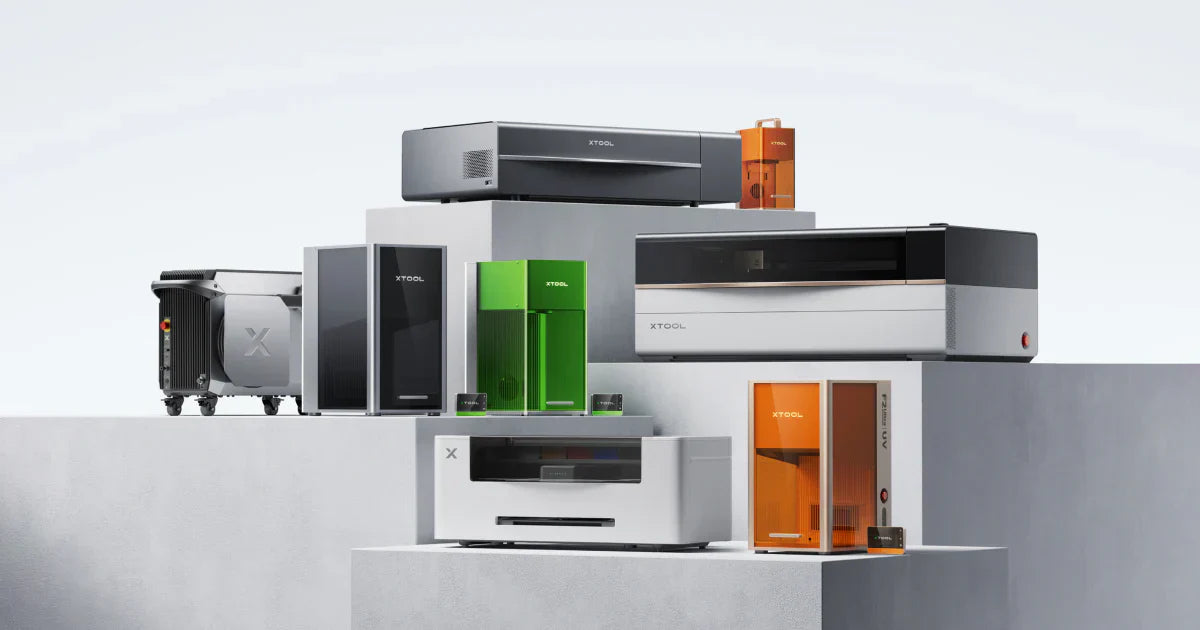
The xTool P2S runs on a 55W CO2 laser, which makes it well suited to cutting and engraving wood, acrylic, leather, and other organic materials that small businesses and hobbyists work with most often. The xTool F2 Ultra takes a different approach with a dual laser setup, pairing a 40W diode laser with a 60W MOPA laser, a pulsed fiber-type source, so it can handle both organic materials and metal marking without swapping machines. Choosing between them comes down to what materials you'll be working with most, particularly if metal engraving or colour marking on metal is part of the plan.
Operating an xTool Machine: From Design File to Finished Cut
The typical workflow starts with creating or importing a design into xTool Creative Space (XCS), arranging it on the virtual workspace, and assigning power and speed settings for cutting or engraving. From there, you load the material, use the machine's autofocus tool to set the correct focal distance, and run the job while air assist and the extraction system manage smoke and debris. It's a repeatable process, which is part of why xTool machines suit both first-time users and small businesses running the same jobs at volume.
When you import a vector file into XCS, the software reads the paths in the file and lets you assign a specific action, cut, engrave, or score, to each layer or line. You can then set the power and speed for each of those actions individually, position everything on the virtual workspace to match your material, and preview the job before it runs. This layer-by-layer control is what lets a single design combine engraving detail and a clean cut-out in one job.
Because both cutting and engraving produce smoke and fine particulates, proper ventilation and extraction matter just as much as the settings you choose. The OSHA overview of laser hazards is a useful primer if you're setting up a workspace for the first time, particularly around fume extraction and eye protection. If you'd rather compare the full lineup before you decide, you can browse the xTool laser range at 3D Central.
F2 Ultra vs P2S: Which One Should You Choose?
Once you understand the mechanics, the real question is which machine fits your workshop. Here's how the xTool F2 Ultra and xTool P2S stack up on the factors that matter most day to day.
|
Feature |
xTool P2S |
xTool F2 Ultra |
|
Laser type |
55W CO2 laser |
40W diode + 60W MOPA (pulsed fiber) dual laser |
|
Best for |
Wood, acrylic, leather, fabric, cardboard and other organic materials |
Organic materials plus metal marking, including colour marking on stainless steel and similar metals |
|
Standout feature |
AutoPassthrough for materials up to 300cm |
48MP dual cameras for precise alignment on small or detailed items |
|
Best suited to |
Makers and small businesses focused on signage, homewares and packaging prototypes |
Businesses and makers who need both organic material work and metal engraving in one machine |
If your work is mostly wood, acrylic, leather, or packaging prototypes and you don't need to mark metal, the P2S's CO2 laser is the simpler, more cost-effective fit. If metal marking, tool engraving, or colour work on stainless steel and similar materials is part of your workflow alongside organic materials, the F2 Ultra's dual laser setup means you're not stuck buying a second machine down the line. Either way, both machines run on the same xTool Creative Space software, so the day-to-day workflow of designing, focusing, and running a job stays familiar to whichever one you choose.
FAQs
What does the focusing lens do in a laser cutter?
The focusing lens takes the raw laser beam and narrows it down to a single, precise point, usually right at or just below the surface of the material. This concentrated point is what actually does the cutting or engraving work, since a spread-out beam doesn't carry enough energy density to melt or vaporise material cleanly. Getting the focus distance right is one of the most important steps in getting a clean cut, which is why xTool builds autofocus tools into its machines to take the guesswork out of it.
What is the purpose of air assist in a laser cutter?
Air assist blows a steady stream of air across the cutting point while the laser is working. This clears away smoke, debris, and flame so the beam keeps working on clean material instead of burning through built-up residue. It also helps prevent flare-ups and scorching around the edges of a cut, which means sharper results and less cleanup afterwards.
Does the core science of laser cutting apply to every xTool machine?
Yes. Every xTool machine, whether it uses a diode, CO2, or fiber laser, relies on the same basic principle: a concentrated beam of light energy is focused onto a material to melt, vaporise, or burn it away. What changes between models is the laser source and wavelength, which determines which materials each machine handles best. The xTool F2 Ultra and xTool P2S both follow this same core science, just with different laser types under the hood.
What are diode lasers best used for?
Diode lasers are compact, affordable, and best suited to engraving and cutting thinner materials like wood, leather, cardboard, and some plastics. They're a popular entry point for hobbyists because they cost less and don't need the venting setup CO2 machines typically require. They're generally not the right choice for cutting through thicker or denser materials, or for working with reflective metals.
What are CO2 lasers best used for?
CO2 lasers are the workhorse choice for cutting and engraving organic, non-metallic materials such as wood, acrylic, leather, fabric, and cardboard. They produce a longer wavelength that these materials absorb well, which gives clean cuts and smooth engraving detail. This is why CO2 machines like the xTool P2S are popular with makers and small businesses producing signage, homewares, and packaging prototypes.
What are fiber/infrared lasers best used for?
Fiber and infrared lasers are built for marking and engraving metals and some plastics that CO2 and diode lasers struggle with, such as stainless steel, anodised aluminium, and titanium. Their shorter wavelength is absorbed far more efficiently by these reflective and dense materials. This makes them a common choice for tool marking, jewellery, and industrial-style engraving work.
How do power and speed settings affect cutting and engraving?
Power controls how much energy the laser puts into the material, while speed controls how long the beam dwells on any one spot. Higher power and slower speed cut deeper or engrave darker, while lower power and faster speed produce lighter engraving or suit delicate materials that scorch easily. Every material and thickness needs its own tested combination, which is why xTool Creative Space includes material presets to get you started.
How is the laser's focal length adjusted on xTool machines?
xTool machines include autofocus functionality that sets the correct focal distance automatically before a job starts. This removes the manual guesswork of measuring and adjusting focus by hand for every new material or thickness.
Conclusion
Understanding how a laser cutter works comes down to a handful of consistent principles: a focused beam, a precise motion system, and settings tuned to the material in front of you. Where machines differ is the laser source itself, and that's exactly what separates the xTool P2S's CO2 laser from the xTool F2 Ultra's diode and MOPA dual laser setup. If you're still weighing up which one suits your projects, the team at 3D Central's Brisbane and Melbourne showrooms can walk you through both machines in person, or you can book a demo online before you decide. Whichever you choose, you'll be working with the same core laser cutting process, just tuned to a different set of materials.
Share:
Best 3D Printer for Beginners in Australia